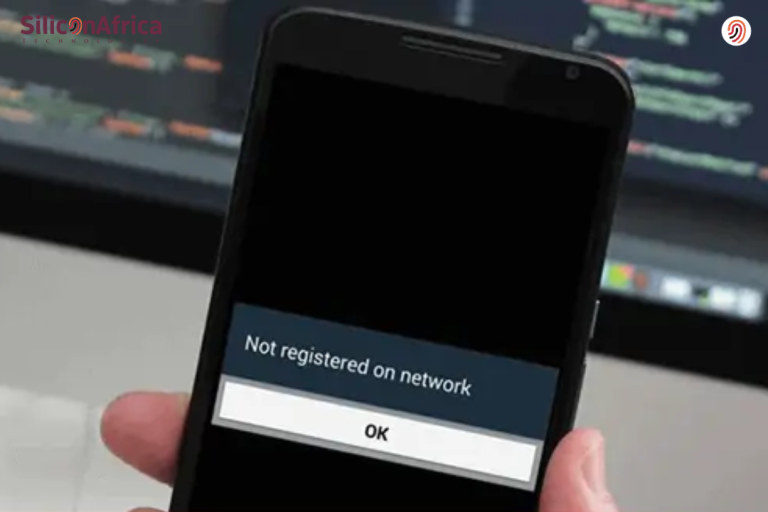
Knowing how to check your NIN Number is easier than you would believe. You can check your NIN number online using NIMC app as well as through USSD code on your mobile app.
We hope you know you can immediately retrieve your National Identity Number (NIN) or confirm it with your mobile phone in case you’ve misplaced it without visiting an enrolment center.
In Nigeria, your NIN is required for different verification purposes, and losing hold of it can be concerning.
Fortunately, this article provides you with all of the information you need to easily retrieve your NIN via USSD codes from major network providers such as MTN, AIRTEL, GLO, and 9mobile, as well as online.
It’s obvious that not many Nigerians know how to quickly check their NIN number, which has caused major problems for the majority of Nigerians.
In this article, we will go through how to simply check your NIN number, the requirements for doing so online and offline, and the steps involved. Stay attentive and pay close attention.
Table of contents
What is NIN
The National Identity Number (NIN) plays an essential role in Nigeria’s identifying system. It is used as a unique identification for citizens and residents. As a result of the recent merger of Nigerian network providers’ USSD prompts, many phone users are unsure whether alternative USSD codes are still in use.
However, the code for checking your NIN number stays the same.
See also: Latest on How to Check NIN on Glo
How to Check NIN Number Easily
We have several options for both online and offline NIN verification. Here are a few easy ways to check your NIN:
#1. How to Check NIN using USSD Code
Enter the USSD code first.
The steps below make it simple to retrieve your National Identity Number Using USSD Code, regardless of whether you are using MTN, Airtel, GLO, or 9mobile.
To begin, dial *346# from your mobile device. The purpose of this USSD code is to obtain your National Identity Number.
Give the system some time to handle your request.
Select the NIN Retrieval Option
Once you dial the USSD code, your phone’s screen will display a menu. Enter “1” to select the “NIN Retrieval” option. This directs your inquiry to the NIN retrieval service.
Acknowledge the Service Fee
A small service fee, usually about ₦20, will be disclosed to you when you choose the recovery option.
To continue and acknowledge that you accept the payment, you click ‘1’ to confirm. Make sure your credit is sufficient to pay for this.
View Your NIN
Once confirmed, your NIN will be displayed on your screen. This unique number is important for many verification processes. Note it down securely and keep it safe.
See also: NIN USSD Code: How to Check Your NIN Using USSD Codes and Online
#2. How to check your NIN Online
To check your NIN online, follow these steps:
Download the NIMC MWS Mobile App
- iPhone: Download here
- Android: Download here
Instant and Launch the app
Open the app and click “I need a pin.”
Get Your User ID and OTP:
Note down the user ID and OTP displayed in the “Get OTP” section.
Access the NIMC Portal:
Use the user ID and OTP at the NIMC online portal to view your details as shown on your NIN slip.
Reprint Your NIN Slip:
From the portal, you can choose to reprint your NIN slip if needed.
#3. How to Check NIN Number Using NIN Validation
- Visit any national identification management office in your area.
- Request the national identification number validation form.
- Fill in the required details and submit the form.
- Make a payment of ₦4,000 for NIN validation.
#4. How to check NIN Number Using NIN Tokenization
Using encrypted representations of the NIN in transactions is known as NIN tokenization.
- These include User IDs, QR codes, the Virtual NIN, and verification log details on the MWS Mobile ID app.
- These techniques safeguard a person’s personal information when conducting regular business
- Maintaining the security of your NIN is essential because it is used in formal transactions. When necessary, only disclose it to the appropriate authorities.
See also: NCC Orders Quick Reactivation of Lines Affected by NIN-SIM Verification
Code to Check NIN
How To Check Your NIN Number Via Code is by dialing the USSD code.
Begin by dialing *346# from your mobile phone.
This USSD code is for checking your national identification number. Please allow the system a moment to process your request.
See also: MTN Subscribers Upset Over NIN-SIM Link Issues
FAQs
The code for NIN on MTN is *996*3#
visit the NIMC website and click on the “NIN Retrieval Portal.” From there, you can choose the “Forgot Mobile Number?” option and enter your details.
Yes, you can. Pay a token of N500 through REMITA at any bank nearest to you; provide your Remita Teller to any NIMC Enrolment Centre (ERC) near you and request for a NIN slip print.
Enrolment for the NIN is Once in a Lifetime
Conclusion
In Nigeria today, your NIN number is as important as any other thing. This is your identity as a citizen of Nigeria. Managing your NIN is now easier and more accessible. In fact, you can check it using the NIMC app, USSD, or online.
The NIN is an important method for protecting and authenticating digital identities as Nigeria advances in cryptocurrency trading and digital transactions. Accept it, and move confidently and easily in the digital world.
If you find this article helpful, kindly share your thoughts in the comment section and follow us on our social media platforms on X (Silicon Africa (@SiliconAfriTech)), Instagram (SiliconAfricaTech), and Facebook (Silicon Africa).
Reference
- Techcabal.com – How to check NIN number easily 2024
- Gopius.com – Easy Ways to Check Your NIN Number By Yourself
- Myschoolgist.com –How to Check Your National Identity Number (NIN) Using USSD Codes and Online
Recommendations
- How to Unblock NIN-barred Sim Cards 2024 (MTN, Glo, Airtel And 9Mobile)
- Nigerians Protest at MTN Offices Nationwide Over NIN-SIM Link Issues
- 5 Easy Ways to Check Your NIN Number in Nigeria
- 2024 KRA PIN Checker: Obtaining, Verifying, Retrieving and More
- How to Borrow Money from GTBank Using USSD Code | A Step-by-Step Guide